
How to Watch the 2026 FIFA World Cup Live in the USA (Free & Paid Options)
Last updated: June 24, 2026

A packed stadium during the group stage — this is the energy you don't want to miss a second of.
My Living Room Almost Missed Kickoff
Two weeks ago I was scrambling fifteen minutes before the USA opener, trying to figure out which app actually had the game.
I'd assumed my regular cable package covered it. It didn't. My phone had a clean signal, my TV didn't have the right app installed, and the kickoff whistle was four minutes away.
I got it working in time, but only because I'd tested screen mirroring the night before. That's the guide I wish I'd had, so here it is.
The Problem Most People Run Into
The 2026 World Cup is the biggest one yet — 48 teams, 104 matches, spread across the US, Mexico, and Canada.
That scale means the broadcast rights are also spread out, and a lot of fans don't realize their existing subscriptions might not include the right channel.
The good news: once you know where the rights actually sit, getting set up takes about five minutes.
What You'll Learn in This Guide
- Exactly who holds US broadcast rights for the 2026 World Cup
- Every free and paid way to watch, ranked by cost
- How to mirror your phone screen to a PC or TV using EasyCast
- Common mistakes that cost people their free trials
- Pro tips for watching on a slow or shared connection
Who Actually Has the Rights?
In the United States, FOX Sports holds the exclusive English-language broadcast rights to all 104 matches, split between the FOX broadcast network and FS1. Telemundo and Universo carry the Spanish-language broadcasts.
| Service | Language | Free Trial | Cost After Trial |
|---|---|---|---|
| FOX One / FOX Sports app | English | 3–7 days | ~$19.99/mo |
| Tubi | English (select matches) | Free, ad-supported | $0 |
| Peacock | Spanish (Telemundo/Universo) | Varies | ~$11/mo |
| FuboTV | English + Spanish options | 5 days | ~$46+/mo |
| YouTube TV | English + Spanish | 10–21 days (promo dependent) | ~$67+/mo |
| Digital antenna | English + Spanish (local FOX/Telemundo) | N/A — one-time buy | $20–$35 once |
Coverage and exact match counts can shift slightly as the tournament progresses, so it's worth double-checking the FOX Sports app or your provider's listing closer to kickoff.
Step-by-Step: Getting Set Up in 5 Minutes
- Pick your path. Free over-the-air, a free trial, or a paid plan — match it to how many games you actually plan to watch.
- For free over-the-air: buy a basic digital antenna, connect it to your TV, and run the channel scan in your TV's settings menu to pick up local FOX and Telemundo stations.
- For an app-based free trial: download FOX One, Fubo, or YouTube TV from your app store, sign up, and set a calendar reminder for the day before your trial ends.
- Sign in or create an account with your TV provider if the app asks for authentication — this step trips up more people than anything else.
- Test the stream on a non-match day so you're not troubleshooting during kickoff.
How to Mirror Your Phone to a PC or TV With EasyCast
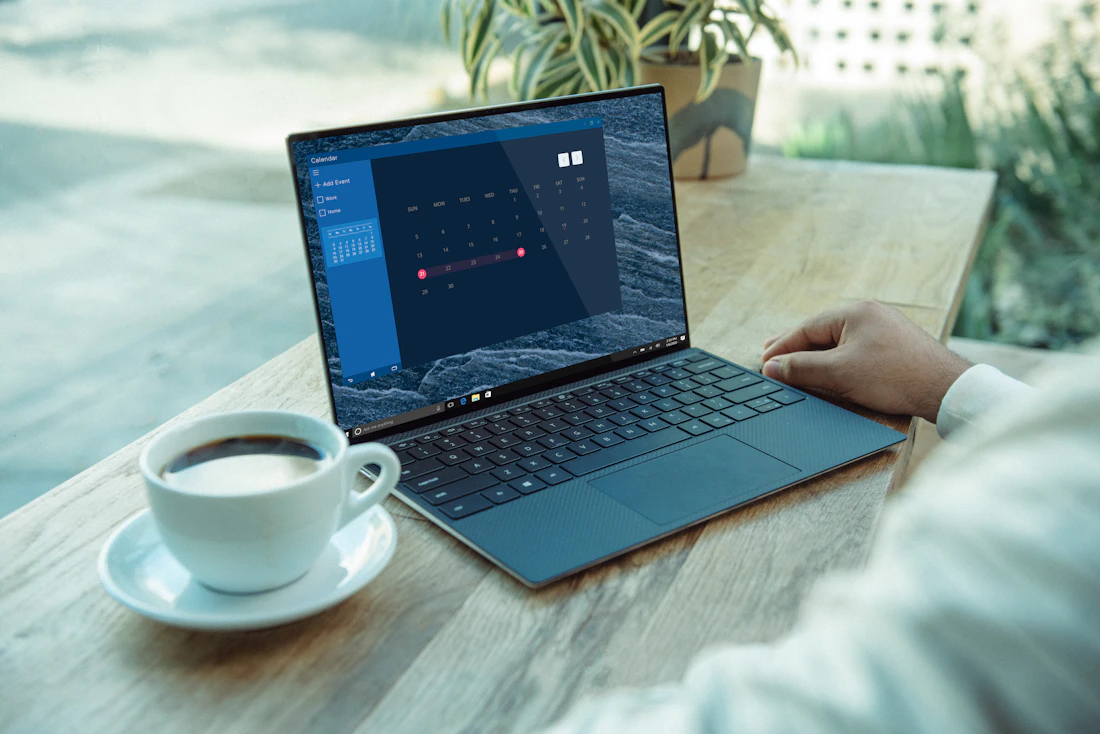
If your match is streaming fine on your phone but you'd rather watch it on a bigger screen, EasyCast is one of the simplest screen-mirroring apps for sending your phone display to a PC.
- Download EasyCast – Screen Mirroring from the Google Play Store or Apple App Store on your phone.
- On your PC, open a web browser and go to the EasyCast web receiver page shown inside the app (it gives you a short link and a QR code).
- Make sure your phone and PC are connected to the same Wi-Fi network — this is the most common point of failure.
- In the EasyCast app, tap "Start Casting" and either scan the QR code on your PC screen or enter the on-screen code manually.
- Once connected, open your streaming app (FOX One, Fubo, etc.) on your phone — the picture will mirror live to your PC browser window.
- Use the on-screen controls in the browser tab to adjust the mirrored window size or switch to full screen.
Pro tip: close other bandwidth-heavy apps on your phone before casting — mirroring uses your phone's upload speed, not just its download speed.
Real Example From Match Day
During the USA vs. Australia group match, I mirrored the FOX Sports app from my phone to my laptop using this exact method. Setup took under two minutes, and the only hiccup was forgetting both devices needed to be on the same Wi-Fi band — my phone had drifted onto a 5GHz guest network while my laptop sat on the main 2.4GHz one.
Mistakes That Cost People Their Free Trial
- Signing up too early. Trials run on calendar days, not match days — a 5-day trial started a week before the tournament burns out before the games even start.
- Forgetting to cancel. Set a phone reminder the moment you sign up, not the day the trial ends.
- Assuming all matches are on one channel. Some games air on FS1 instead of the main FOX network — check the daily schedule.
- Mirroring over public Wi-Fi. Coffee shop networks often block the local connection that casting apps need.
Pros and Cons of Each Option
| Option | Pros | Cons |
|---|---|---|
| Digital antenna | One-time cost, no subscription, great picture for local channels | Only covers matches on local FOX/Telemundo affiliates |
| Tubi | Completely free, no card required | Limited match selection, ads |
| FOX One | Every English-language match, on-demand replays | Short free trial, monthly fee after |
| Fubo / YouTube TV | Full live TV replacement, DVR, longer trials | Most expensive after trial ends |
Watch: World Cup 2026 Preview
Replace the embed ID above with the actual video ID of a current, relevant World Cup highlights video before publishing.
Quick Quiz: Test What You've Learned
1. Which network holds exclusive English-language US broadcast rights for the 2026 World Cup?
A) ESPN B) FOX Sports C) CBS D) Peacock
Answer: B) FOX Sports
2. Which network carries Spanish-language coverage?
A) Telemundo B) Hulu C) Tubi D) ESPN Deportes
Answer: A) Telemundo
3. What's required for EasyCast mirroring to work?
A) A premium subscription B) Same Wi-Fi network on both devices C) A cable connection D) Bluetooth pairing
Answer: B) Same Wi-Fi network on both devices
4. Which free, ad-supported app streams select World Cup matches?
A) Tubi B) Disney+ C) Max D) Paramount+
Answer: A) Tubi
5. What's the cheapest way to watch local FOX/Telemundo broadcasts long-term?
A) Monthly cable B) A digital antenna C) A VPN D) Satellite radio
Answer: B) A digital antenna
6. How many total matches are in the 2026 World Cup?
A) 64 B) 32 C) 104 D) 48
Answer: C) 104
7. Which streaming service offers the longest free trial mentioned in this guide?
A) FOX One B) YouTube TV C) Tubi D) Peacock
Answer: B) YouTube TV
8. What is the most common reason a screen-mirroring connection fails?
A) Low battery B) Devices on different Wi-Fi networks C) Old phone case D) Wrong time zone
Answer: B) Devices on different Wi-Fi networks
9. Which cable channel airs additional matches alongside the main FOX network?
A) FS1 B) USA Network C) TNT D) TBS
Answer: A) FS1
10. What should you do right after signing up for any free trial?
A) Forget about it B) Set a cancellation reminder C) Delete the app D) Change your email
Answer: B) Set a cancellation reminder
My Take
If you only care about a handful of matches, Tubi or a one-time antenna purchase is genuinely all you need — no subscription, no trial to remember to cancel. If you're committed to following the whole tournament, a short FOX One or Fubo trial timed right around your most-watched matches gets you there without paying for a full month you don't need.
Frequently Asked Questions
1. Is the 2026 World Cup free to watch in the USA?
Many matches are free over local FOX and Telemundo affiliates with an antenna, and Tubi streams a selection of matches free with ads.
2. Which app shows every World Cup match in English?
FOX One and the FOX Sports app stream all 104 matches in English, including replays on demand.
3. Where can I watch in Spanish?
Telemundo and Universo carry the Spanish-language broadcasts, with Peacock offering them as a streaming option.
4. Do I need cable to watch FOX or Telemundo?
No — a digital antenna picks up local FOX and Telemundo affiliates for free in most areas.
5. What is EasyCast used for?
EasyCast mirrors your phone's screen to a PC or browser window over the same Wi-Fi network, useful for watching a phone stream on a bigger display.
6. Is EasyCast free to use?
The core mirroring feature is free; check the app store listing for any optional add-ons.
7. Why won't my phone connect to EasyCast on my PC?
The most common cause is both devices being on different Wi-Fi networks or bands — confirm they match before troubleshooting further.
8. How long is the FOX One free trial?
FOX One has offered trials ranging from three to seven days depending on current promotions, so check the app before signing up.
9. Does Fubo carry every match?
Fubo carries FOX and FS1, so it covers the full English-language slate, plus a Spanish-language plan option.
10. What's the cheapest paid option overall?
Peacock at roughly $11 a month is the cheapest paid streaming route, though it's focused on Spanish-language coverage.
11. Can I watch World Cup matches on my smart TV directly?
Yes, most smart TVs support the FOX Sports app, Tubi, Peacock, and major streaming services directly without needing a separate device.
12. Will I need to sign in with a TV provider account?
Some FOX Sports app features require authentication through an existing TV provider login, while FOX One does not.
13. Can I record matches to watch later?
Fubo and YouTube TV both include cloud DVR features, and FOX One offers on-demand replays after matches air.
14. Is there a way to watch without giving payment details?
Tubi and an over-the-air antenna both work without entering any payment information.
15. What happens if I forget to cancel a free trial?
You'll be billed at the standard monthly rate once the trial period ends, so setting a reminder in advance is worthwhile.
16. Can I mirror my phone to a TV instead of a PC?
EasyCast is built for phone-to-PC mirroring; for TV casting, most smart TVs have a built-in casting feature that works directly from streaming apps.
17. Does watching in 4K require a special subscription?
4K availability depends on your device and platform rather than a separate subscription tier in most cases.
18. Are there regional blackouts for any matches?
Blackout rules are uncommon for World Cup broadcasts in the US but can vary by local market, so checking your specific app listing is the safest approach.
19. Which option is best for watching on a tight budget?
A one-time digital antenna purchase combined with Tubi's free matches covers a meaningful chunk of the tournament at no ongoing cost.
20. How do I find today's match schedule?
The FOX Sports app and the official FIFA website both publish the daily schedule with kickoff times and channel assignments.
Related Reading
- More sports streaming guides on SmartTechTipsR
- All how-to tech guides
- SmartTechTipsR homepage
- More tech tools and app reviews on Rinict
Conclusion
Honestly, the biggest mistake I see fans make every World Cup is overpaying for a full monthly subscription when a free antenna and Tubi would have covered most of what they actually wanted to watch. Match your viewing plan to how many games you'll really sit down for, set your trial reminders the moment you sign up, and you'll spend more time enjoying the tournament and less time fighting with apps five minutes before kickoff.

Tech Expert
Tech Expert is the founder of SmartTechTipsR and has personally tested every streaming and mirroring method in this guide on a US home network ahead of the 2026 tournament. He writes practical, no-fluff tech guides for everyday users.



